Editing existing orders
With POSify, you are able to add and edit cart/order properties and notes on existing orders.
Editing products
Product prices, quantities and properties cannot be updated once an order has been paid for. This is a limitation of Shopfiy, not POSify.
Opening an existing order
In the POSify Shopify Admin app, navigate to the Orders/Draft orders page in the left menu. Select the Orders tab at the top of the table to view all of your orders:
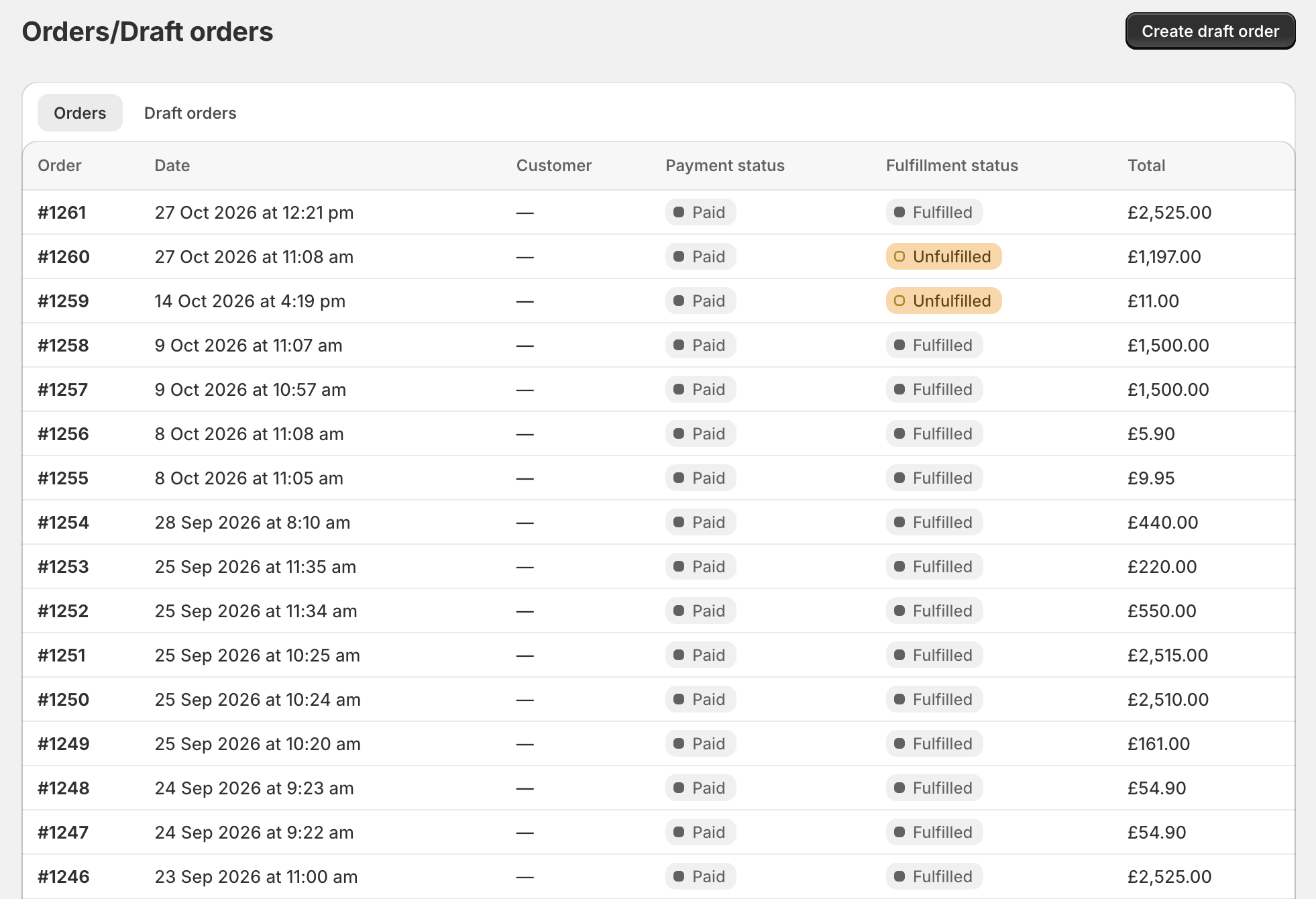
Click on an order number from the table to open the order. From here, you are able to add cart attributes and notes:
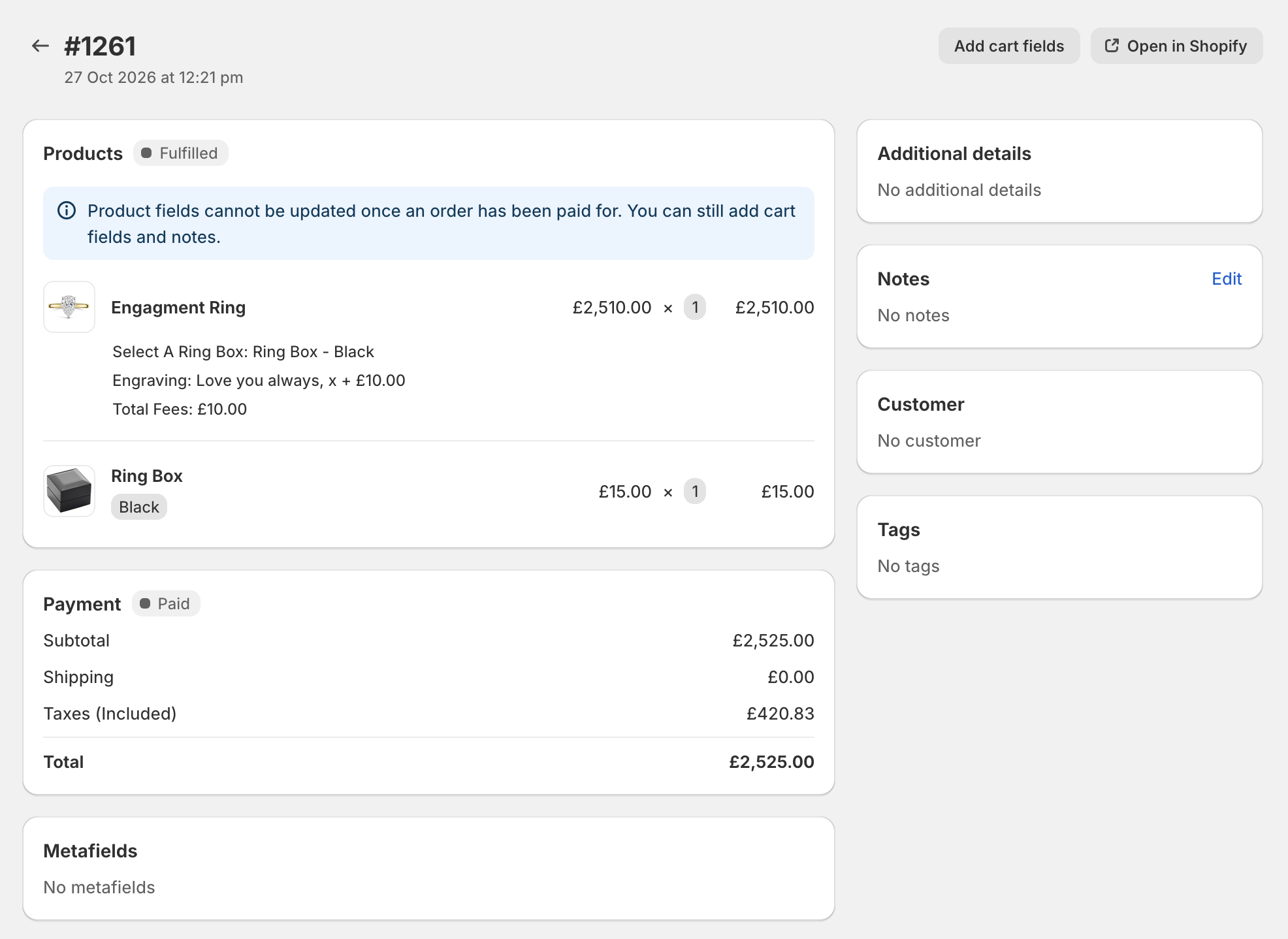
Customizing the cart/order
From the order page, you are able to add cart properties. See the Customizing carts/orders in draft orders guide for more information.