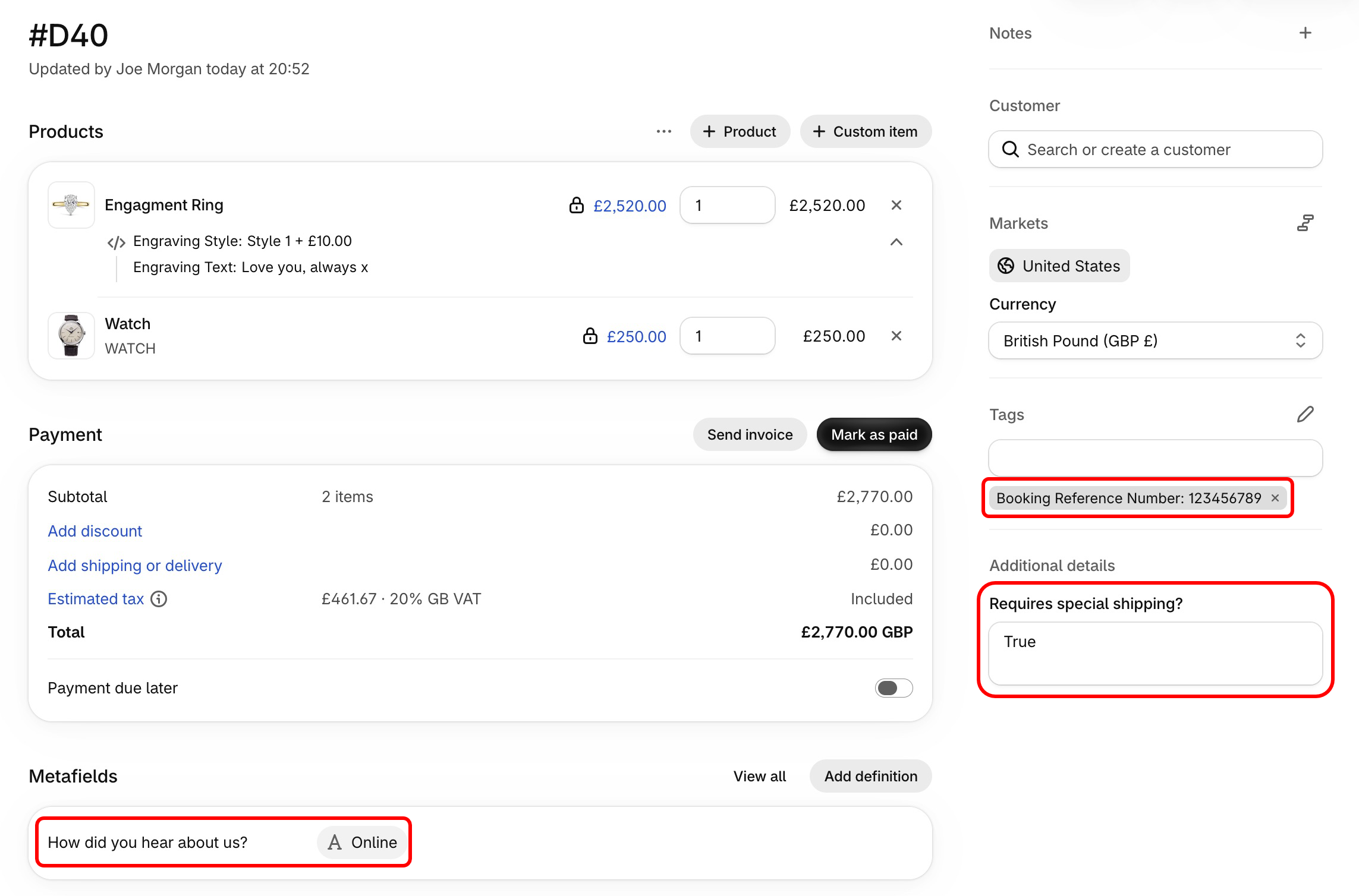
Customizing carts/orders in draft orders
After creating your cart customization fields and/or field groups, you can begin adding cart customizations to Draft Orders in Shopify Admin.
Adding cart customizations
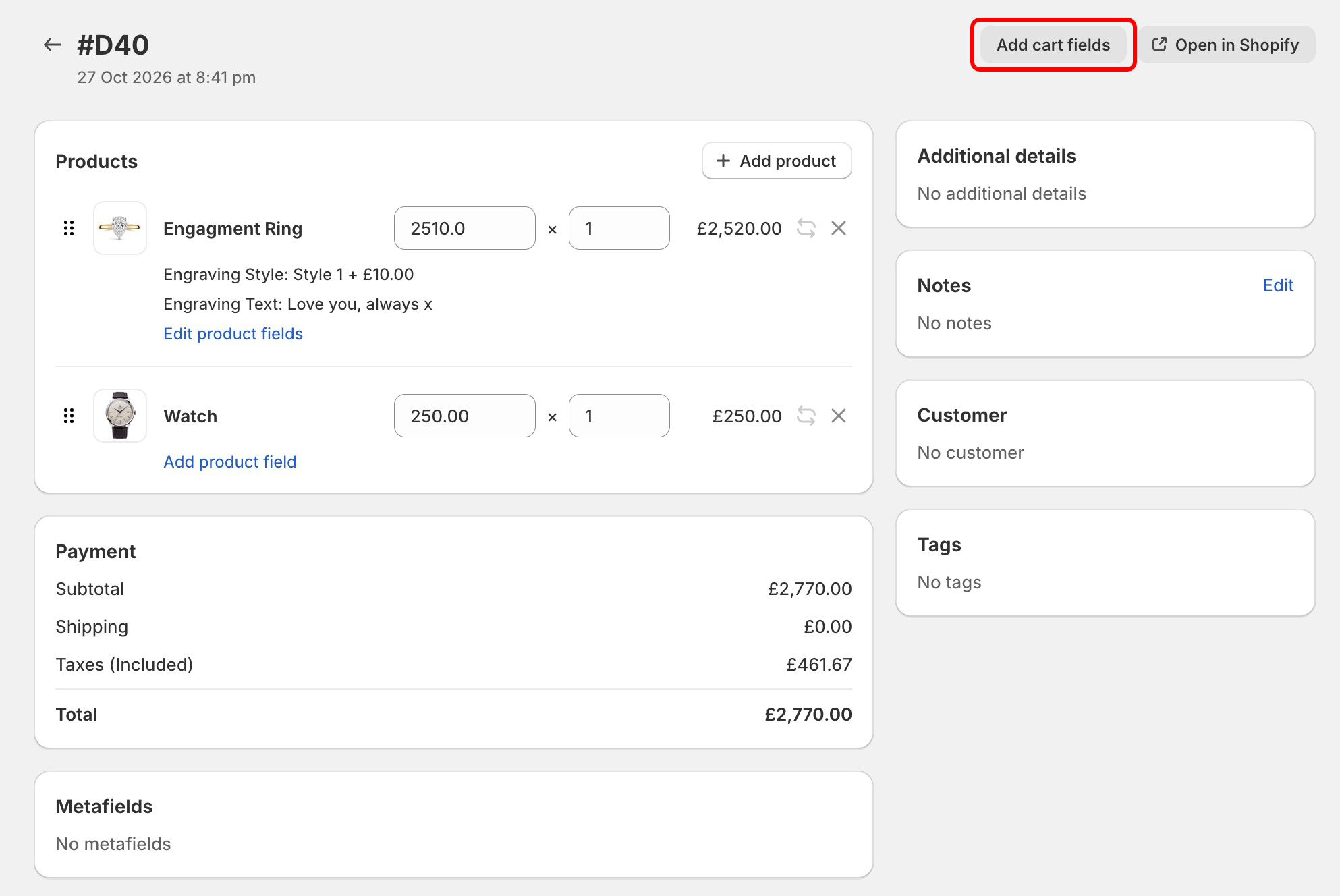
Open an existing or create a new Draft Order from the POSify Orders/Draft orders page. Click the Add cart fields button:
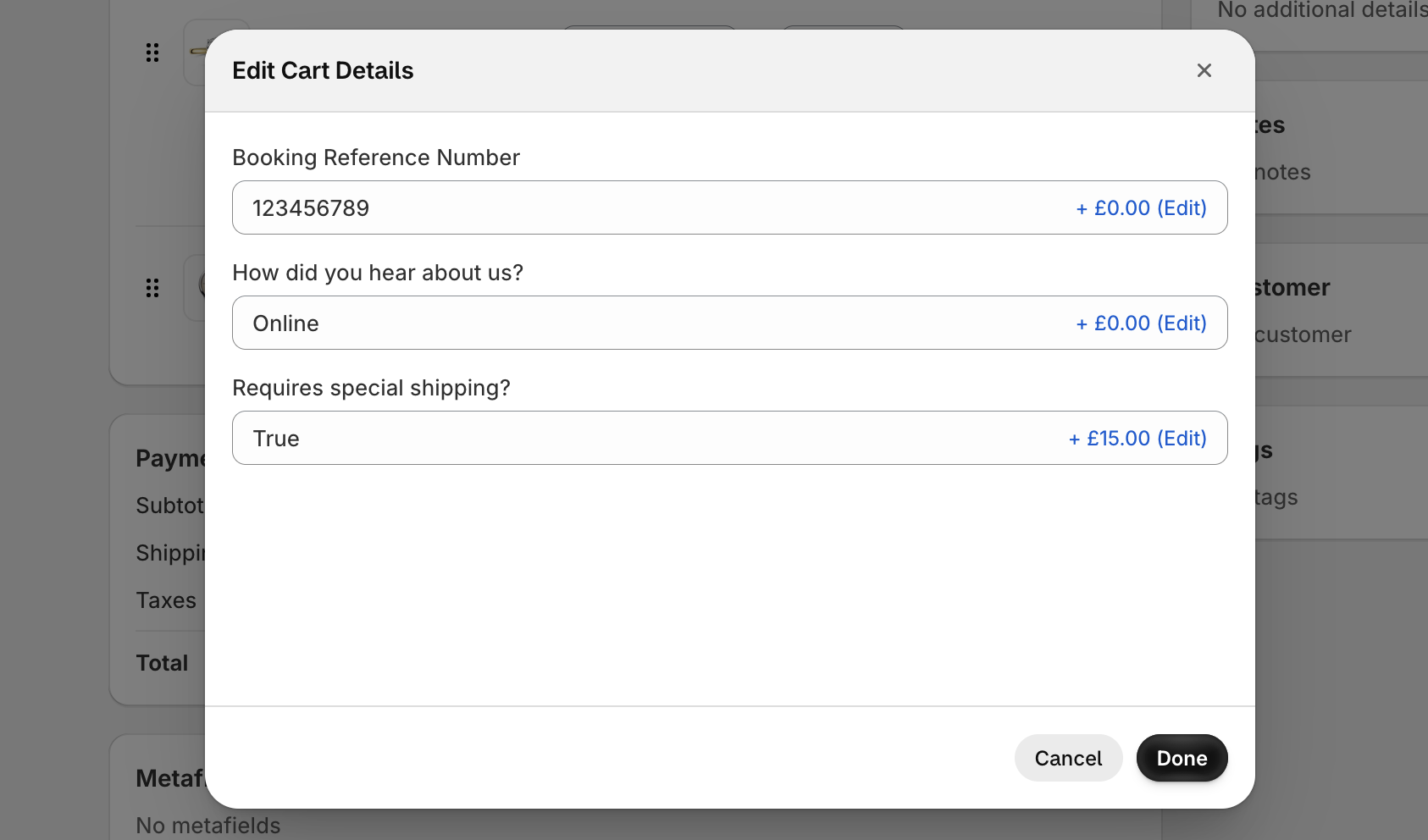
This will open a new window displaying your pre-defined customization fields:
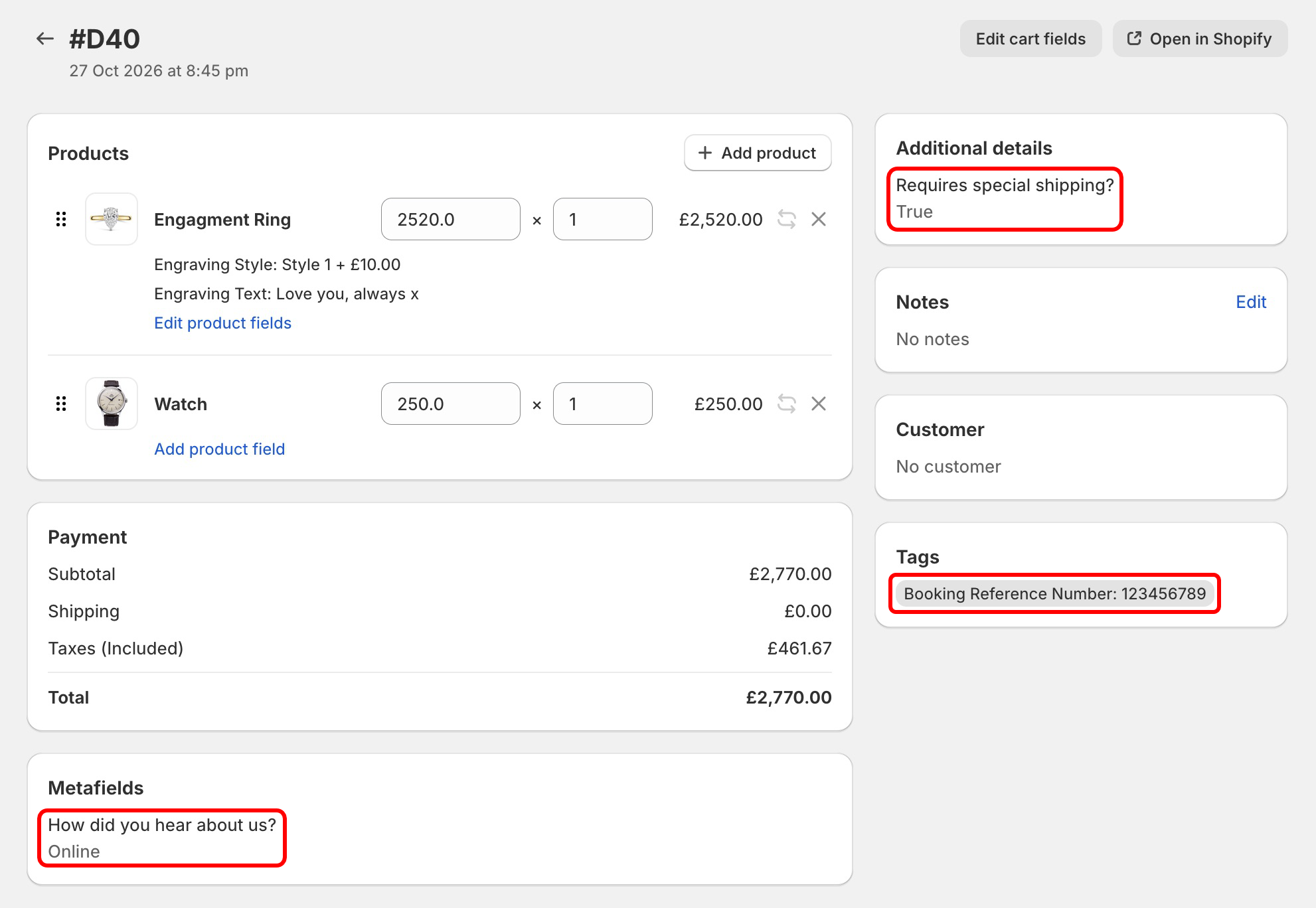
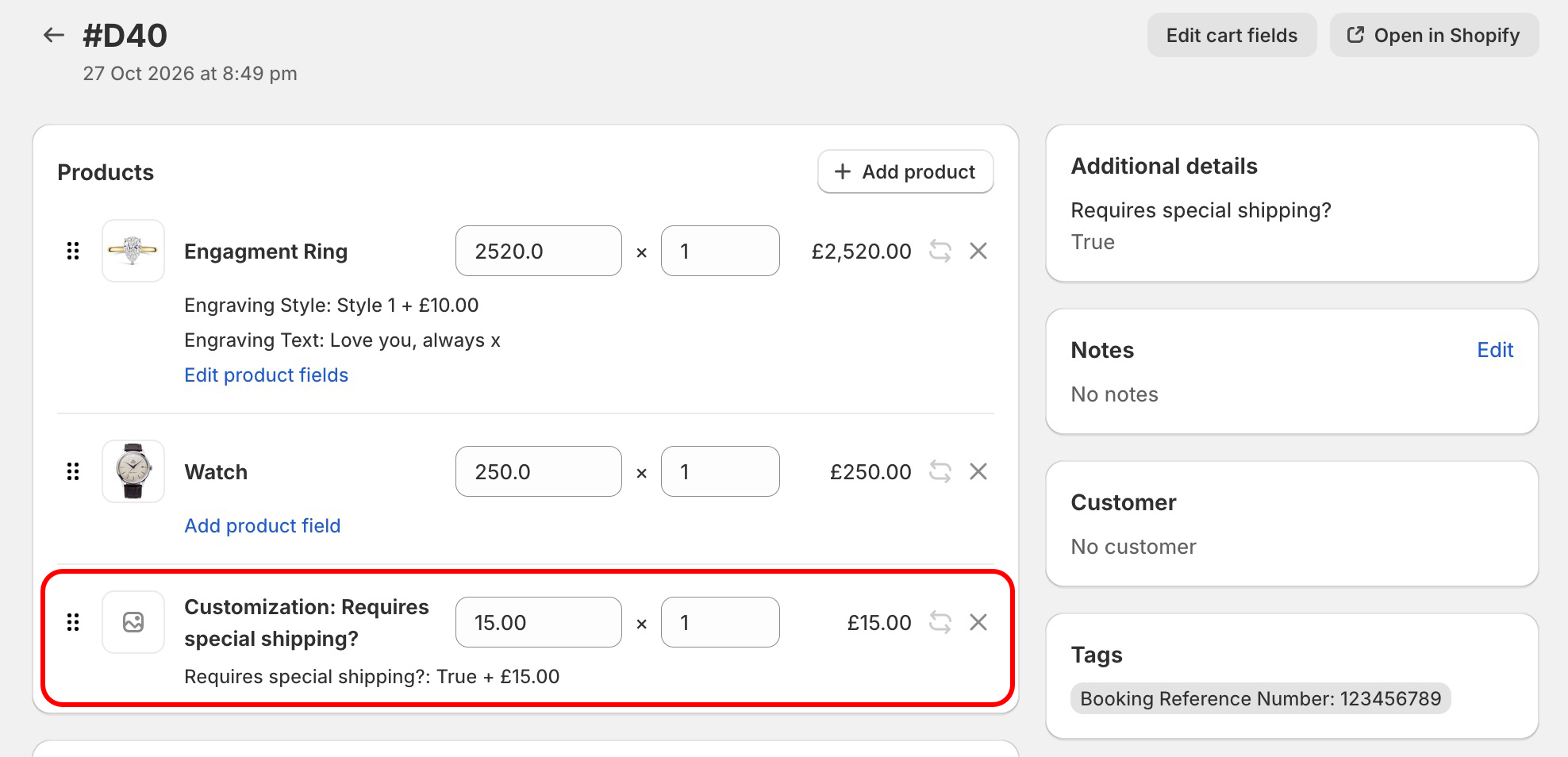
Once you've filled in your fields, click Done. The values of the fields will either be added to the order as an additional detail, tag or metafield, depending on the Save to order as setting of each field:
Adding fees to the cart
When you add a fee to a cart field, the total fee amount will be added to the order as a custom sale item:
Accessing the values in Shopify Admin & POS
Cart fields can be saved to an order as an additional detail/property, an order tag, or an order metafield. See the Save to order as guide for more information. These can be seen in Shopify Admin: